
Free live webinar · Introduction
TamoGraph Site Survey:
What Can a Wi-Fi Survey Tell You?
An introductory webinar with demonstrations
Friday, 30 October 2026 · 16:00–17:00 UTC
12:00 EDT New York · 09:00 PDT Los Angeles
Why Wi-Fi surveys matter, what the results reveal, and how TamoGraph Site Survey can help.
See how site evidence helps you investigate Wi-Fi problems and assess a planned change. We’ll inspect measured data, compare access-point designs in a predictive model, and explain a report.
60 minutes including demonstrations and Q&A.
No installation or site-survey experience needed to watch.
The question behind the picture
What evidence would help you decide what to change?
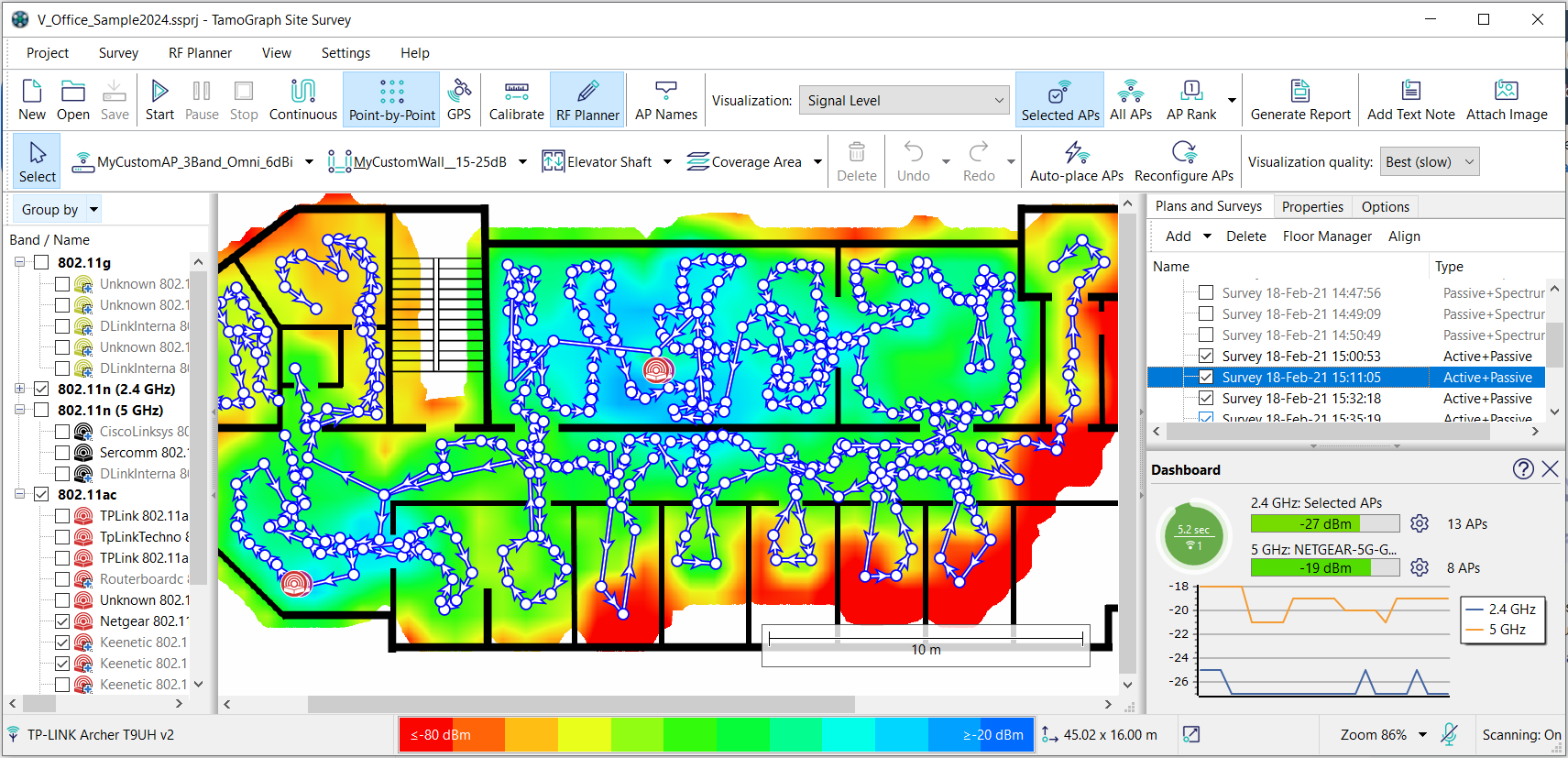
A signal map shows how Wi-Fi conditions vary across a site. To decide what matters, you also need the task, relevant devices and acceptance criteria.
We’ll show how TamoGraph helps connect those questions to measured evidence and design comparisons. You’ll see where a result helps—and where another test is needed.
The 60-minute session
One site question.
A useful way to investigate.
An introductory tour of the decisions and evidence, with selected demonstrations. Detailed setup and how-to topics are planned for later sessions.
- 00–09 min
Why surveys matter
A coverage view, then a requirements view: what each tells you about a site.
- 09–14 min
The right evidence for the question
What measured surveys, connected-client tests and predictive modeling can contribute.
- 14–21 min
An existing-site demonstration
Inspect measured data and identify a finding worth investigating.
- 21–28 min
A planned access-point change
Compare a design hypothesis in a model and discuss what needs checking after installation.
- 28–37 min
Reports and a first TamoGraph task
Explain the evidence to a colleague and choose a manageable next step.
- 37–60 min
Your questions and closing
Discuss the workflow and the evidence you might need for your next decision.
Who it’s for
Exploring surveys?
Already using TamoGraph?
This session is for people who plan, troubleshoot or verify Wi-Fi—including IT teams, engineers, consultants and integrators.
We’ll introduce the key terms as we use them. You can watch without installing TamoGraph or having survey hardware.
Your presenter
Milla Bren
Head of Technical Support · TamoSoft
Milla will demonstrate how TamoGraph helps examine site evidence and compare a planned change, with time for audience questions.
Join the live introduction
A clearer starting point
for your next Wi-Fi task.
Friday, 30 October 2026
16:00–17:00 UTC
12:00 EDT New York · 09:00 PDT Los Angeles
Register on Zoom with your name and email. Your confirmation email will contain the joining details.
Free · 60 minutes · In English
Register to attend
We’ll ask for the details needed to send your joining information. A short optional task question helps us choose relevant examples.
Register for free on ZoomRegistration connection pending
This is a local draft. The Zoom registration URL will be connected after the host’s license and registration settings are confirmed.
Preview the short formSave the time to your calendar. A calendar download does not register you.
Registration is for this event. Newsletter subscription is separate. TamoSoft privacy policy.
Before you join
A few practical details.
Do I need to install TamoGraph?
No. The webinar is a demonstration you can watch without installing software. If you want to explore afterward, you can download the evaluation and use the starting guide to choose a workflow.
Is this a complete hands-on training session?
This is an introduction to why surveys matter and what the results can support. We’ll use selected demonstrations. More detailed how-to sessions are planned; their topics, sequence and dates will be confirmed separately.
How will I receive the joining details?
After registration is enabled, the button will take you to Zoom’s registration form. Zoom will send a confirmation email with your joining details. Check your spam folder if it does not arrive.
What time is it in my location?
Friday, October 30, 16:00–17:00 UTC. Start time: 12:00 EDT in New York, 09:00 PDT in Los Angeles, 16:00 GMT in London, 17:00 CET in Berlin and 19:00 in Moscow.
Can I ask a question?
Yes. You can add a short question during registration or ask during the live session. Please leave customer plans and sensitive site details out of the registration form.
What can I try after the webinar?
New users can download the evaluation and choose a small task using the starting guide. Existing users can try a relevant comparison in a permitted project. The evaluation has restrictions, including no saving of projects or reports. See the current evaluation limits.