
TamoGraph Site Survey Webinar 2
Which Wi-Fi Measurement Would You Take Next?
One room has slower Wi-Fi than another. What would you check first? Work through a recorded office survey in TamoGraph and decide what to measure next.
12:00 EST New York 09:00 PST Los Angeles
What can the survey tell you?
-
Compare the two rooms
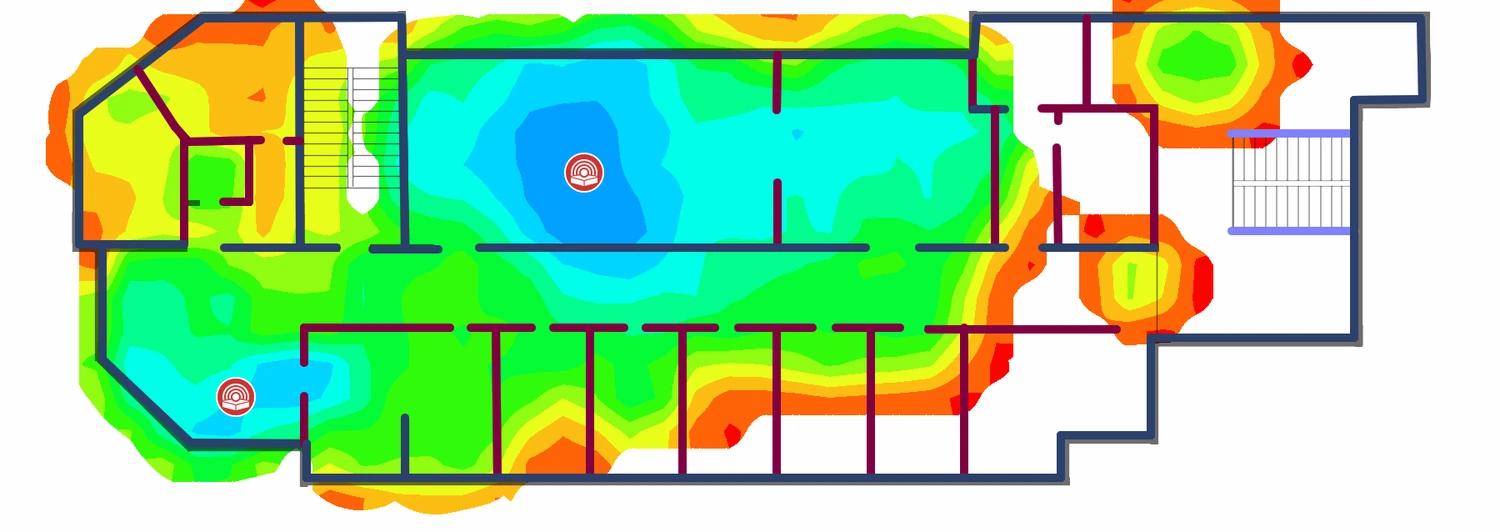
Check which access points and survey records are selected. Compare Signal Level and Requirements in a reference room and a room with slower throughput, then consider what you can infer about a room the survey path missed.
-
Investigate the slower result
Use TCP Downstream Rate to compare recorded throughput and Associated AP to see which access point served the survey computer. Decide whether to check the test server’s Ethernet connection before repeating the test.
-
Choose your next measurement
Look at a separate spectrum example and discuss when it would be useful to collect spectrum data. Then revisit your choice when a detail about the throughput test setup changes.
Who should attend? This session is for people familiar with TamoGraph Site Survey. We’ll start with a short walkthrough of the office project, so you can follow the discussion without a survey kit.
Which survey fits your question?
- Passive survey
- Check where the signal from selected access points is strong enough for the intended use.
- Active survey
- Connect to the network and test what the survey computer experiences, such as TCP throughput.
- Spectrum analysis
- Look for RF activity that might interfere with Wi-Fi. You can collect spectrum data on its own or alongside a passive survey.
- Predictive RF modeling
- Estimate how a proposed access-point placement or layout would affect coverage. This is the focus of Webinar 3.
Join the live webinar
Wednesday, 25 November 2026 at 17:00 UTC